






When Tomer Aharoni first arrived in New York from Israel, he didn’t expect to stay—let alone start a company that would reshape communication for people with hearing loss. But what began as a side project during his time at Columbia University has grown into Nagish is a tech company using artificial intelligence to provide real-time captioning for phone calls—no human operator required. The company, whose name means “accessible” in Hebrew, is now federally certified to offer its services at no cost to users, thanks to government subsidies
ABILITY Magazine’s Jennifer Woodall met with Aharoni in a virtual interview to talk about how a missed phone call in class sparked the idea, how Nagish is bridging the accessibility gap, and why privacy and independence are at the heart of the platform’s mission.
Woodall: Can you talk about your journey toward creating Nagish?
Aharoni: Yes, of course. I’m originally from Israel. I was born and raised there. I flew to New York 10 years ago with no intentions to move here. I just came to visit a friend for two weeks and ended up staying. I’m originally coming from a technical background, having spent a few years in the technological intelligence forces, then studied computer science at Columbia University. I spent about a year researching natural language processing in the Internet of Things, published a few academic papers, and got an offer to pursue a PhD. I decided last minute not to do it. So instead, I went and pursued a career as an engineer.
I wanted to work at Bloomberg for a few years. During my time at Bloomberg, we started really making the Nagish company. And it is the company I’m leading today. The name means “accessible” in Hebrew. What we do is we make communication accessible for people with hearing loss. It started as a side project when we were still students at Columbia, after learning that deaf and hard-of-hearing individuals cannot have a private conversation. We thought it was crazy that if you have a significant hearing loss, you have to rely on an interpreter, stenographer, or a captioner. And you really just can’t place a call like hearing people do. We built a very lean proof of concept that gained way more traction than we anticipated.
First, it was picked up by Google. They wrote a case study about us. That case study evolved into Google inviting us to speak at their annual cloud conference, Google Cloud Next, where 50,000 people attend every year. Finally, they produced an ad for Google Cloud, for which a Iot of deaf and hard of hearing people, mostly deaf, heard about the app and wanted access. When I was at Bloomberg, —That was during COVID. COVID really made it extremely hard for deaf individuals to live their lives, really. It was impossible to communicate. They were completely isolated from their environment and from their community. Media wasn’t accessible. Zoom didn’t have captioning. Other platforms didn’t have captioning as well. We were slammed with requests from users that wanted to use our services.
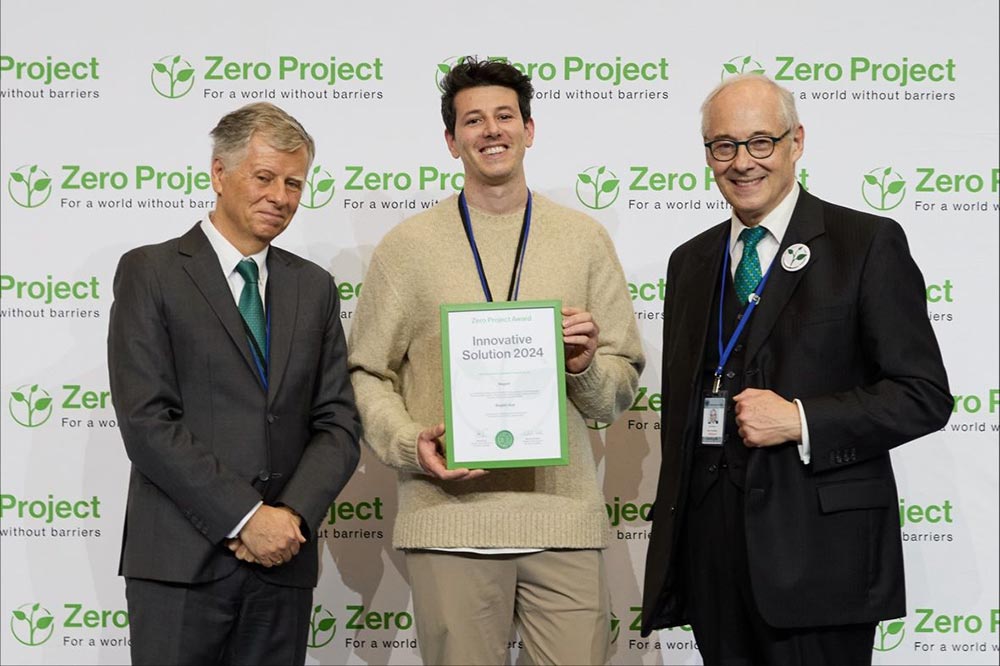
Now, at that point, we decided, “Okay, we’re going to leave our jobs. We’re going to make the leap, and we’re just going to make this a company.” We made Nagish a company, got certified by the FCC in January of 2024 and just received our second certification December 2024 which allows us to provide communication services to people with hearing loss without any cost to the consumer by relying on subsidies from the US government.
Products & Services


Woodall: When you came to the US, what made you decide that you wanted to stay and establish your life here?
Aharoni: I came to visit a friend whose dream was to study at Columbia. That was his dream school. I must admit that when I came to New York, I didn’t know what Columbia was. I grew up with very severe ADHD and I was kicked out of high school in 10th grade. I failed basically every single class, and I had no intention to pursue a degree, let alone at an Ivy League school. When I saw him being so devoted to studying here and going to that top school, he kept telling me about the school and about the concept of liberal arts.
Again, I was completely ignorant when it comes to knowing any of that. I thought it was interesting. I thought that the fact that you could study anything was interesting. I’ll give you some context. When you go to school in Israel, it’s similar to the system in Europe where you need to choose your degree, you apply to a specific curriculum, and then that’s the only thing you study. What I really liked about Columbia and for the US system, in general, is that it allows you to really explore on your own, see what you like and get a sense of it and then just figure it out.
I did apply with very little belief that I’m actually going to get in. I so much lacked the belief, that I moved back to Israel actually. I moved back to Israel, and I applied also to an Israeli university, and then I got the notification that I got accepted into Columbia. I came back. Again, because I was kicked out of high school and didn’t have a math background. I didn’t think that I could study computer science, even though I deeply cared about computer science. I started with psychology, which I still love. I got a minor in psychology, but it wasn’t challenging enough. I ended up taking some Econ classes, which was really boring. Then one summer, I just took a CS class, fell in love, pretty much figured out all the math that I needed to learn to get up to speed, and ended up studying computer science. So that’s really what happened. One thing led to another.
Woodall: How did you come to notice that people that are Deaf or hard of hearing were having these challenges with privacy?
Aharoni: Actually, the very first inception story had nothing to do with deaf and hard of hearing people at first. I was sitting in class, I got a call, and I couldn’t pick it up because I was sitting in class and I started thinking, “How can you have a conversation in a situation where you cannot hear or speak?” I was in a period in life where me and Alon Ezer—Alon is my co-founder and Nagish’s CTO.—We wanted to build stuff. We just kept building stuff constantly. I got out of a class and I saw this as an opportunity and I told Alon, “How do people place and receive phone calls in situations where they cannot hear?” His immediate reaction was, “How do deaf people communicate? I’m sure they have a solution. Let’s find out.”
I remember we went online. —I think we started with Reddit.—There were so many threads about deaf people using relay services, meaning using call centers with human stenographers that caption their phone calls or ASL interpreters that translate between them and hearing people. We just thought it was insane, and we couldn’t believe it. The first thing we did is we found the phone number of the New York Deaf Association.—I think at the time it was a chapter of the National Association of the Deaf in New York. We called a person, Jack, who was the leader of the chapter here. We contacted them, not realizing that we connected to the call through an interpreter.
They answer to the call and I was like, “Hi, who is this?” The interpreter, who was a woman, said, “I’m Jack.” I was thinking “Okay. I thought Jack was a man, but not judging.” And said “We wanted to tell you about this new service that would allow you to communicate effectively with hearing people.” I think we said something along these lines. The interpreter immediately said, “They already have something like that.” To this day, I don’t know if Jack was the one who said that sentence or if she was the one saying that sentence. But it made us realize immediately that something needs to be done. That we’re now communicating with someone, and we have no clue of what’s happening on the other end, whether we’re actually talking to that person or whether the interpreter couldn’t get a hold of herself and just jumped in and said something.
Next thing we did was there was a hackathon at Columbia at the time and we went to that hackathon and we decided to build the first version of Nagish, which was very dummy. It would allow you to call a single number that was hard-coded, always the same number. There was no UI, so we used Facebook Messenger, and people would do a backslash call, put the number, and they would call from Facebook Messenger, and it worked. Overnight, we built a proof of concept that actually worked, and that’s how Google heard about it. It’s also actually how I got my job at Bloomberg because they were there and we’re very excited about the project as well.
Woodall: Can you tell me about the features that Nagish has and what it does?
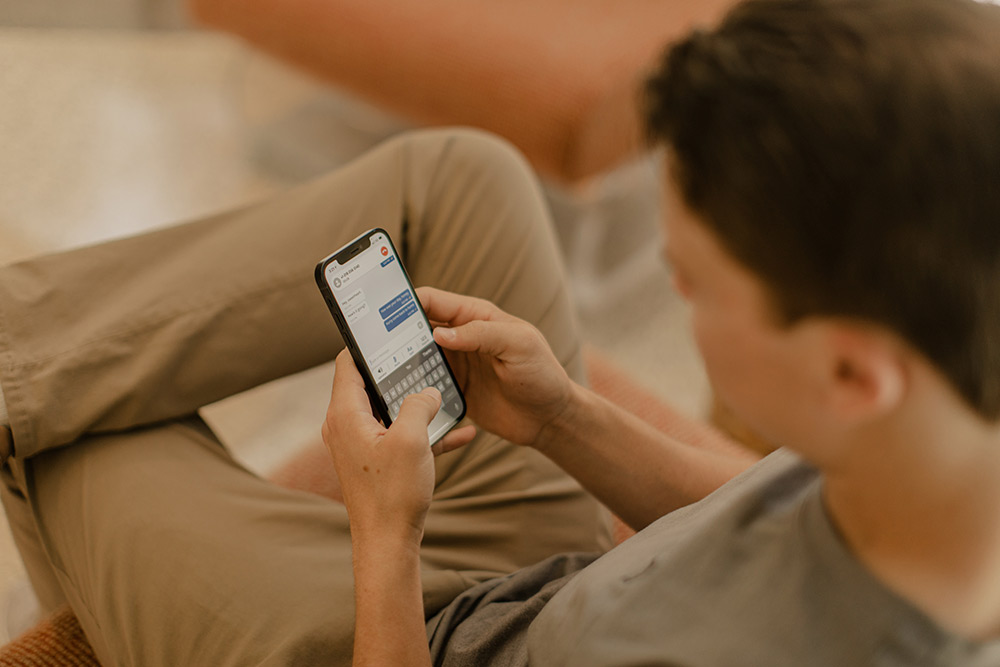
Aharoni: Yeah. So, Nagish really just resembles the native phone app on your device. You download the app—You can completely forget about the phone app that came with your device. You just replace it with Nagish. It links your existing phone number and it allows you to call anyone and receive calls from anyone with the added benefit of captioning and text to speech. When you are hearing and you’re calling someone, you just put in the phone number, you place the call, and then both sides communicate. When you’re deaf, usually what you would do is you place a phone number, you call a contact center, they would connect the call for you, and then they would translate.
With Nagish, it’s really just like the experience of the hearing person. You place a call, you can hear, you can connect your hearing aids, you can connect your cochlear implant. If you’re profoundly deaf, you will see captioning. You can adjust the font size of your captioning, you can make it larger, you can make it extremely readable, you can turn on dark mode. There are a bunch of accessibility features. Then you can either speak using your voice, or if you’re nonverbal or prefer not to speak, you can use your device as keyboard. Whenever you type something, we convert it into natural sounding speech so that for the hearing side, it’s exactly the same experience. The hearing side on the call doesn’t need to install anything. They don’t need to know that you’re using a special service.
For those who use the keyboard, we also have a bunch of features to make the communication smoother and faster. We have quick responses that allow you to tap a single button and send a full sentence, both based on AI and based on canned responses that you set ahead of time. Then we have a bunch of other features like Nagish Live that allows you to caption anything around you. If I go to Starbucks, I want to order my coffee, I can turn on Nagish Live and just caption anything that my phone can hear around me. We have add-ons for Zoom, Microsoft Teams, Google Meet. We’re now building a new generation of add-ons that would be even more advanced to allow effective communication in the workplace. We have a bunch of other features. For instance, we have a personal dictionary that allows you to index words like, unique names like my name, Tomer—Most automated captioning engines can’t get it right, but Nagish can get it right because I index my name into the system. It’s one of our most useful features. People have a bunch of weird, funny names and places that they like. It’s really a really wide set of features, mostly around accessibility and our users in mind.
Woodall: On the hearing side of the conversation, is there a voice that’s speaking to them?
Aharoni: Yeah, they would hear a natural sounding voice. They would also hear a typing indication, so they know that the other side is typing when they do. For them, it’s really just a normal conversation.
Woodall: With a lot of nonverbal software, you get to choose which voice you want to be heard on the other end. Does Nagish have options like that as well?
Aharoni: Absolutely. We currently support three voices. We have a masculine voice, a feminine voice, and a gender-neutral voice. The intention is to add more natural voices and actually allow users to build a unique voice profile for their needs. It’s either by voice cloning, if they already have a voice and they just prefer not to use it, or by allowing them to connect to a specific character and really give them that library of voices so they have more options.
Woodall: What do you feel sets Nagish apart from other phone call captioning services that are out there?
Aharoni: When we first started, we were the first ever to actually use AI for this task. The first end-to-end, fully private relay service that provides two different classes of service: IP Relay and IPCTS. For those who don’t know the differences between those, IPCTS is mostly for verbal users with hearing loss. It stands for Caption Telephone Service, whereas IP Relay is mostly for non-verbal users also with hearing loss or those who are profoundly deaf. Historically, in the last decade, you only had one IP Relay provider that relied on call centers with humans. Nagish just got certified for IP Relay as the first automated speech recognition AI power provider to provide these services.
We’ve always been the first ones to innovate. We were the first ones to offer the ability to keep your existing phone number, and we are the only ones–as much as I’m aware–that offer two solutions in one with phone calls and live–meaning in person–and also the ability to join Zoom calls and other video conferences. It’s really about being a tech company that constantly innovates around AI in a field that historically has It’s been widely dominated by companies that were more corporate in nature, more slow in nature, and really didn’t need to innovate because there was no competition historically.
Products & Services

Woodall: During the development process for Nagish, do you involve members of the deaf and hard of hearing community?
Aharoni: Absolutely. We only started building Nagish when we had deaf individuals on board. When it comes to Nagish, if you think about it, it’s really a communication bridge between people with hearing loss and people without hearing loss. You always need both perspectives when you build something like that. The first thing we did when we started thinking about Nagish, as I mentioned, is contacting the National Association of the Deaf because we wanted to get a sense of whether the community actually needs to use those products and how they want these products to be designed. We worked very closely with a group of deaf individuals to design the first iteration of Nagish. Then shortly after, as soon as we decided to make Nagish a company, we hired our first employee, Matt, who’s our head of community, who’s deaf himself. Since then, we’ve been hiring more and more deaf individuals to join our team. Right now, the team is composed of hearing individuals, deaf individuals, and individuals with other disabilities. To really represent everyone who uses our services.
Woodall: You spoke at the 2024 M-Enabling Summit. Can you talk about that?
Aharoni: Of course. I’ve been attending M-Enabling for the last four years, give or take. Personally, it’s my favorite conference. It brings around the table so many different people with different perspectives with one goal in mind, which is progressing technology around accessibility. Basically, making sure that the technology that is being built is inclusive to people with disabilities and ensuring that people with disabilities are around the table when those conversations take place, meaning ‘nothing about us without us’, really. For 2024, I was invited to speak at M-Enabling as part of a panel that talks about AI on devices.
Historically, M-Enabling started as mobile apps became widely available and more and more people started using and relying on mobile apps, but there were a lot of concerns around the accessibility of these apps and whether there are standards related to accessibility on mobile. Obviously, mobile is just part of life now, and it’s very obvious that mobile apps should be accessible. Not obviously to everyone, but it’s, at least, mainstream that they should be accessible. M-enabling really evolved as technology evolved and is now discussing way more topics.
One of these topics is AI, which is a really hot topic right now. Specifically, I was invited as part of the panel with other distinguished speakers to talk about running AI models on devices and what it means to users, what it means in terms of privacy, and what AI really means. There are a lot of misconceptions around AI. People think that AI is something new, not realizing that it’s been around for more than 30 years. It just became really popular recently due to the usage of large language models (LLMs), which is just one aspect of AI. AI is really this wide umbrella term that covers a lot of different aspects. For instance, Nagish provides phone call captioning using AI, but not using LLMs. We barely use LLMs. We use it for certain applications, but not when it comes to captioning. That’s really what was what the panel was about.
Woodall: I know ABILITY team members have attended and been on panels at M-Enabling speaking about our media and our online ABILITY Job Fair. Can you give me a more technical rundown on how AI is used?
Aharoni: AI is just really wide umbrella term that within it has a bunch of different topics. One of these topics is automated speech recognition, which is the ability to take auditory cues, namely speech, and using statistical models, convert them into a word. For instance, assume you have a captioning engine that uses AI, you train it on a very large data set of audio snippets, and you provide it with actual human-given responses. If I say the word “dog,” I have thousands of audio snippets of different people saying the word dog. This is, by the way, a really important aspect of this is making sure that you represent different speakers, different accents, different personas. Then for each one of those, I would label the word dog to make sure that the next time the algorithm here is the word dog from someone else, the algorithm will be able to classify it as the word dog.
When it becomes tricky is, once you move this to production, you can’t know for a fact that the word “dog” is actually the word “dog.” It can also be the word “dock”, for instance. What you do is you return a table with results and you say, I have a confidence score and I’m 96% confident that this audio snippet is saying the word “dog.” I’m 85% confident that this audio snippet is actually saying the word “dock”. What we do behind the scenes using AI, is we constantly infer what’s the best result, and we also use different heuristics to ensure that we constantly return the best result, allowing us to provide captioning at an accuracy rate of over 97%, and in certain cases, over 99%. It’s extremely accurate and it relies on AI models that have been around for years to defer whether a solution is correct for a task.
Now, when it comes to LLMs (learned language models), LLMs are relatively new. They’re based on research that started at Google, on new ways to develop AI models to rely on massive, massive data sets filled with texts, basically. You could think of it as same concept, only that it’s trained on way more data, whether it’s all the data on Twitter, all the data on Google, all the data on Reddit, and almost every single word that has ever been said anywhere. Based on all of those words, it can always statistically infer what would be a result. I’m going to ask you a question, and it will use statistical models to come up with an answer that for a human, feels like another human gave. That’s really a difference here.
There are applications of LLMs when it comes to natural language processing. It’s actually the new trend right now, which is LLMs are really good with context. Automated speech recognition is not very good with context. I’ll explain. Here is the sentence, “I’m not allergic to penicillin.” A human stenographer can caption this sentence as “the person on the other end of the call said that they are not allergic to penicillin.” On paper, from a word error rate, they completely changed the sentence, and therefore, it’s really not accurate. However, the meaning stayed the same. When it comes to an automated captioning engine, they can translate the same sentence as, “I am allergic to penicillin.” They only missed the word “not.” They completely changed the meaning of the sentence from a word error rate perspective, it’s more accurate than the human. From a meaning perspective, it really just completely changed the sentence. LLMs come really handy in situations like this because you can add them as an additional layer on top of the captioning engine to make sure that the context makes sense. “I’m taking my boat to the dock” will always make more sense than “I’m taking my boat to the dog.” Captioning engines don’t always have this context. LLMs do. Now we have internal research team that’s working on combining those two concepts together to get even higher accuracy.
Woodall: Does Nagish have dialect allowances as well, where it can understand dialects that are happening in different regions?
Aharoni: Yes. So, both dialect and languages. First of all, we let users choose a language. We support a bunch of languages right now, English, Spanish, French, Japanese, Hebrew, Italian, and a few others. We’re constantly adding new languages. When it comes to dialect, we try to automatically assess the different dialects that different speakers are using and support all of them. It’s not always easy, especially with more unique dialects. We had a request from a community in Brooklyn to support Yiddish, which is a language that is not very widely spoken outside of religious communities, and we just couldn’t figure it out yet. We may be able to figure it out down the road, but some languages are way more challenging. But generally, yes, we do for different dialects.
Woodall: Is there anything else that you would like to mention?
Aharoni: We’ve seen across the board that people take many years between the time they’re diagnosed with hearing loss to the time they actually take action. There’s actually research around that, that it takes people between seven to nine years to take an action once they start losing their hearing. I urge these people to try solutions like Nagish. It’s free–it’s subsidized by the government for eligible individuals. You don’t need to be profoundly deaf to use these services. As long as you have a hearing loss, it prevents you from effectively communicating over the phone. You can try those services. Give Nagish a try, and if you have any feedback, let us know.